Operating System
A fully draggable, interactive desktop environment running purely in the browser.
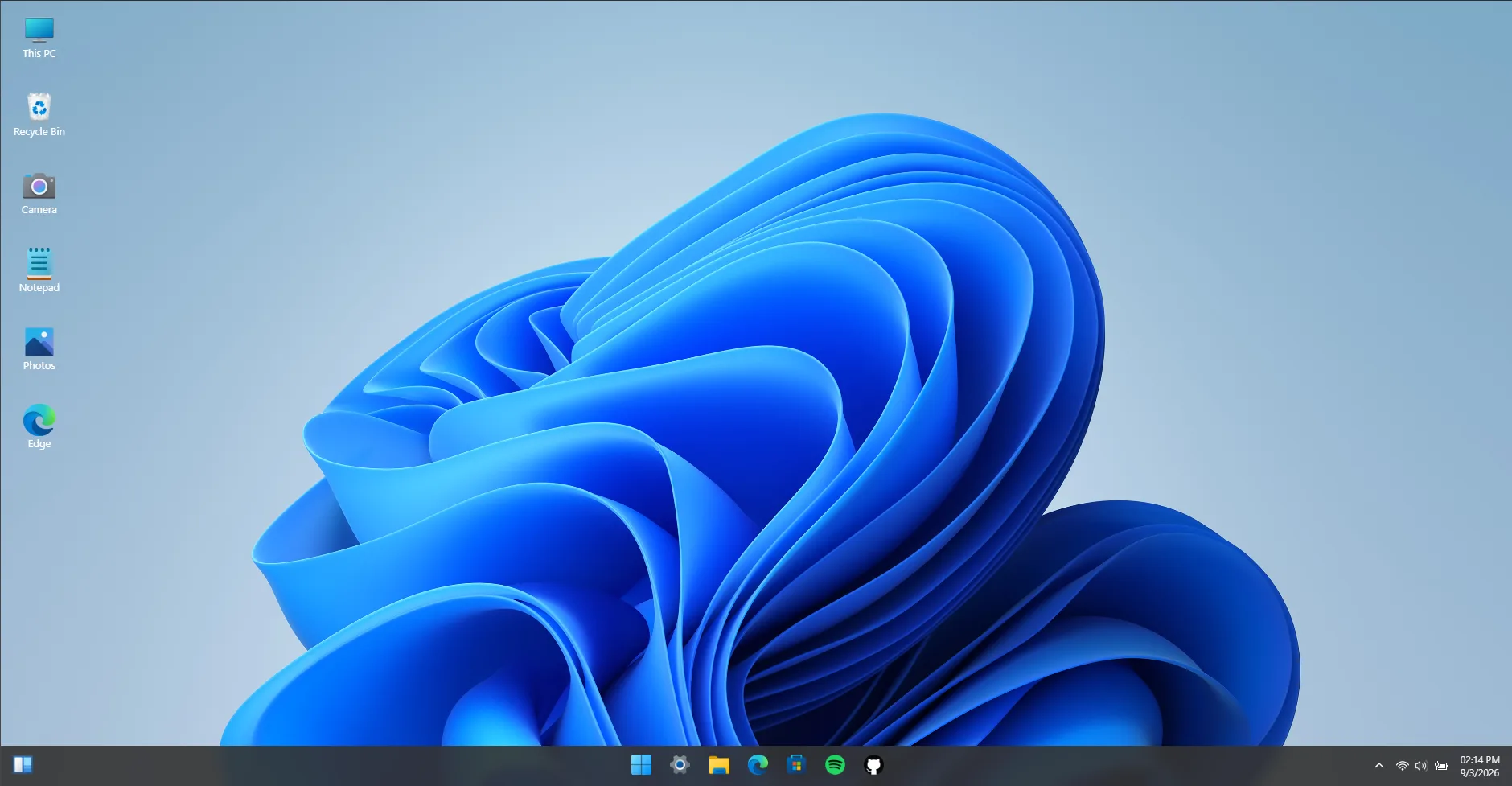
Overview & Context
Operating System is a personal engineering challenge to recreate the familiar feel and ergonomics of a desktop GUI inside a browser tab. It handles multi-window z-index layering, window minimization/maximization, a centralized taskbar, and pre-installed utility apps.
The Technical Challenge
Managing overlapping, resizable, and draggable windows in React often leads to state collisions, laggy drag events, and complex z-index management. The challenge was building an architecture that feels fluid at 60 FPS while keeping the component tree clean.
The Engineered Solution
Leveraged react-rnd for hardware-accelerated transforms, coupled with a centralized WindowManager state. Storing window state in an in-memory virtual tree allows instantaneous search across simulated files and seamless window focus switching on click.
System Architecture & Key Decisions
Centralized Window Manager
Tracks active window IDs, stacking order, minimized flags, and coordinates in a single state slice.
Virtual File System
Simulates nested directory hierarchies in memory, allowing users to create, delete, and inspect files.
Sub-pixel Transform Rendering
Utilizes CSS GPU-accelerated translate3d to avoid expensive layout recalculations during rapid resizing.
Key Features Shipped
- ✓Draggable & resizable windows with snap bounds
- ✓Active taskbar with open application indicators
- ✓Virtual in-memory file system with instant search
- ✓Functional Notepad, Photos gallery, and interactive Camera utility
- ✓Persistent desktop settings and theme adjustments
What I Learned
- Mastered coordinate math and boundary detection for draggable DOM elements.
- Learned how to design modular window app wrappers so new mini-apps can be plugged in with minimal code.
- Understood real-world state management challenges when handling multiple active focus layers.